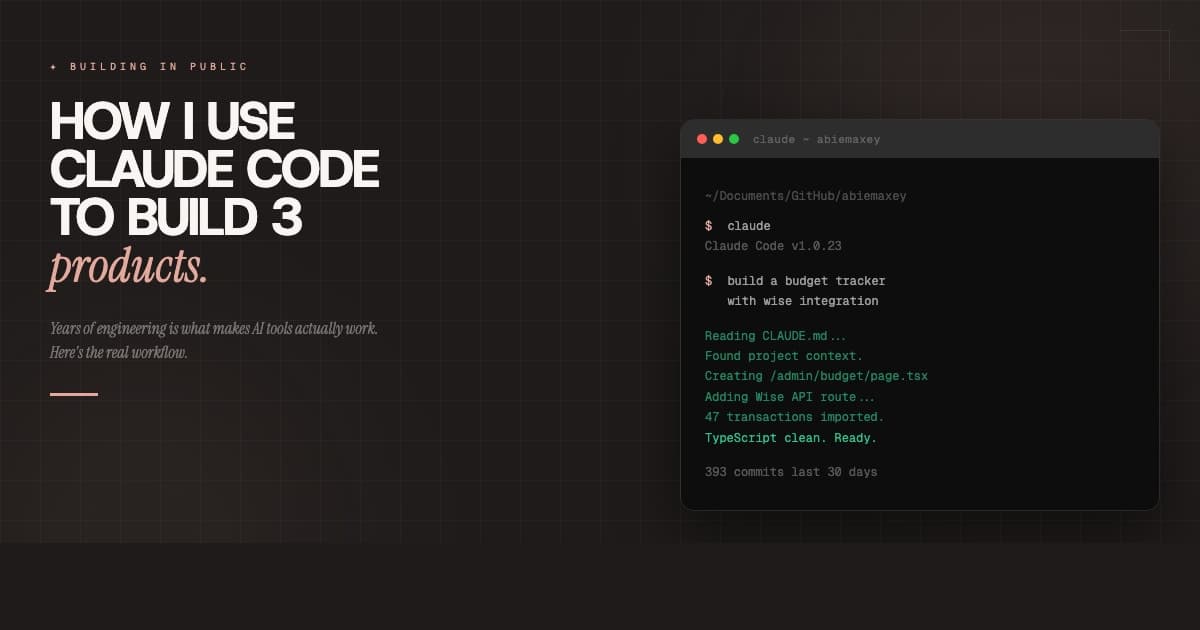

01 ~ The amnesia problem
Claude hasamnesia.
Every new Claude session starts with a blank slate. No memory of your stack, your team's naming conventions, your git rules, or the fact that you've asked it not to use em dashes forty-seven times. Default Claude Code is like hiring a brilliant contractor who shows up on day one without any briefing documents and just starts asking questions.
The difference between a default setup and a properly configured one is night and day. With a solid CLAUDE.md, a couple of skills, and the right MCP servers, Claude stops guessing and starts knowing. This is the setup guide that goes past the install command.
What we're building
A complete Claude Code project config: correct install, CLAUDE.md with the WHY/WHAT/HOW framework, personal overrides with CLAUDE.local.md, custom skills, MCP servers, and habits that make the whole thing stick.
02 ~ Install it right
The install most guidesstill get wrong.
If you've seen a guide telling you to runnpm install -g @anthropic-ai/claude-code,that method is deprecated. Anthropic switched to a native installer that requires zero Node.js. Two minutes, then you're done.
$ curl -fsSL https://claude.ai/install.sh | bash$ claude --version Claude Code v1.x.x ~ ready
$ cd your-project && claude
Browser opens for OAuth login ~ takes 20 sec
No Node.js required. The npm install method is deprecated ~ use the native installer above.
Homebrew also works: brew install --cask claude-code.Windows users: WSL is recommended over native PowerShell if you're already in a Linux-based toolchain. Either way, Git Bash is a requirement on Windows.
03 ~ The .claude/ folder
The folder that makesClaude smart.
Everything lives under .claude/ at your project root.Most of it goes into git so your team inherits the setup automatically. One file ~ CLAUDE.local.md ~ stays private and gitignored.
Claude also maintains auto-memory at~/.claude/projects/<project>/memory/~ saving debugging insights, patterns, and preferences across sessions. You don't configure it. It just happens.
04 ~ CLAUDE.md
The brain transplantthat costs 15 minutes.
CLAUDE.md is persistent memory. Claude reads it at the start of every session ~ which means everything in this file shapes every response you get. Getting it right matters more than any other part of your setup.
The framework that works: WHY (what the project does and why it exists), WHAT (your tech stack), HOW (build commands and team conventions). Keep it under 60 lines. Beyond that, Claude starts deprioritizing instructions. Ruthless editing is a feature.
# CLAUDE.md — your-project← WHY: one-line project identity
## What this project is
A creator brand platform with admin dashboard,← Two sentences max. Claude reads this every session.
proposal system, UGC pipeline, and free tools.
## Tech Stack
- Next.js 15 App Router + TypeScript← WHAT: stack at a glance
- Tailwind CSS 4, Prisma + Supabase
- next-auth v5, Stripe, Resend
## Commands
- Dev: `npm run dev`← HOW: Claude runs these to check its own work
- Build: `npm run build`
- Types: `npx tsc --noEmit`
## Conventions
- kebab-case filenames← Put your team's non-obvious rules here
- Never use em dash — use tilde ~
- Server components by default;'use client' only when needed
- Components stay under 200 lines
- Every new feature gets its own branch
## Git rules
- Never push to main directly← Yes, tell Claude this. It'll respect it.
- No Co-Authored-By in commits
- Project summary in 2 sentences
- Exact build + test commands
- Non-obvious team conventions
- Git branch and merge rules
- @imports for external docs
- Code style rules (use ESLint)
- Full onboarding guides
- History of the project
- Anything over 80 lines
- Personal dev preferences
- Update after architecture changes
- Use .claude/rules/ for path-scoped rules
- Include your preferred PR format
- Tell Claude your git branch naming
- Mention your release channel
For larger projects: use@docs/api-conventions.mdinside CLAUDE.md to pull in external files on demand. Chains up to 5 levels deep, so you get detail without bloat.
05 ~ CLAUDE.local.md
The file most devsnever create.
Your team shares CLAUDE.md through git. But your sandbox URL is different from your teammate's. Your preferred test data is different. Your personal debugging shortcuts don't belong in the shared config.
That's what CLAUDE.local.md is for. Claude automatically reads it alongside CLAUDE.md, and it's automatically added to .gitignore. Nobody else sees it. Put your dev server overrides, personal shortcuts, and preferred workflows in here.
# Personal overrides ~ not for git
## Dev environment
- Local dev server: http://localhost:3000
- Staging: https://staging-branch.vercel.app
## Shortcuts I use
- When I say "done baby": commit, push, and open a PR
- Test with my seed user: test@example.com
## Personal preferences
- I prefer concise code explanations, not line-by-line commentary
- Don't add TODOs unless I ask
06 ~ Skills
Teachableworkflows.
Skills are how you teach Claude repeatable workflows. Drop a .md file with YAML frontmatter into .claude/skills/ and it becomes a slash command. Claude loads just the name and description at session start, then pulls the full skill when you invoke it ~ keeping your context window lean.
---
name: fix-tests
description: Analyze and fix failing tests
allowed-tools: Read, Grep, Bash(npm test *)
---
Invoke with:
/fix-tests src/features/auth/Start with the workflows you repeat most. PR description generation, test fixing, changelog writing, database seed scripts. Three good skills are worth more than twenty mediocre ones.
Community skills worth exploring
/fix-tests
/pr-description
/write-changelog
/db-seed
/review-pr
/deploy-check
/translate-copy
/refactor-types
Browse 1,300+ at claude.ai/extensions and Claude Code Plugins
07 ~ MCP servers
The power-uppack.
Model Context Protocol servers connect Claude to external tools and live data. Database schemas, up-to-date API docs, browser automation, GitHub. They've changed how I work more than any other Claude Code feature.
Three scopes: project (.mcp.json ~ shared via git), local (private to you), and user (~/.claude/ ~ all your projects). Start with project scope so your team inherits the config.
Keep it to 5-6 MCP servers max. Each one eats context window. Don't be greedy.
08 ~ Commands
What to actuallytype.
Most guides cover install and CLAUDE.md then vanish. Here's the command surface you'll actually use. Bookmark this.
/initBootstrap a CLAUDE.md from your project structure
↳ First session in a new project
/clearFresh conversation ~ CLAUDE.md context persists
↳ Starting a new task in the same session
/compactCompress conversation to free context window space
↳ Long sessions getting slow
Shift+TabEnter plan mode ~ Claude proposes, you approve
↳ Before any significant change
/configOpen settings (release channel, permissions, etc.)
↳ First-time setup and tuning
/your-skillInvoke a custom skill from .claude/skills/
↳ Running repeatable workflows
/helpAll available commands
↳ You forgot something (no shame)
09 ~ Before vs after
The payoff inreal time.
Same task. Same prompt. Different setups. Toggle between them.
~/project $ claude
You: Add a dark mode toggle to the header
Claude:Sure! What framework are you using? React, Vue, or something else?Also, are you using Tailwind or CSS variables? What's your project structure like?Do you have an existing theme context? What component library, if any?
You: Just... look at the project? It's literally here.
Claude:I'd be happy to help! Could you share some of your existing code so I can understand your setup?
⚠ 4 minutes of back-and-forth before a single line of code
That 4-minute gap compounds. Every task. Every day. A good CLAUDE.md is the single highest-ROI configuration you can do.
10 ~ The checklist
Your 10-stepsetup.
Start at the top. Check things off as you go. The whole setup takes about 15 minutes and you only do it once per project.
“The install takes two minutes.The CLAUDE.md is what actually changes your workflow.”
Tool ~ Skill Maker
Generate your first skill files in minutes
Pick a template (brand voice, coding standards, PR format, email tone), fill in your details, and get a ready-to-drop skill file. No blank page. No guessing the frontmatter syntax.
Wrapping up
The install is the easy part. The real work ~ and the real payoff ~ is in what you configure after. A focused CLAUDE.md under 60 lines. A CLAUDE.local.md for your personal setup. Two or three skills for your most repeated workflows. The right MCP servers for your stack.
That's it. 15 minutes of setup that pays back every session. And unlike the endless stream of AI tools that promise to change how you work, this one actually does ~ because you're the one teaching it.
Treat CLAUDE.md like a living document. Update it after architecture decisions, dependency changes, or any time Claude surprises you with an answer that's off-base. The more specific you are, the less it has to guess.

Love,
Abie