
01 ~ The point
What you get
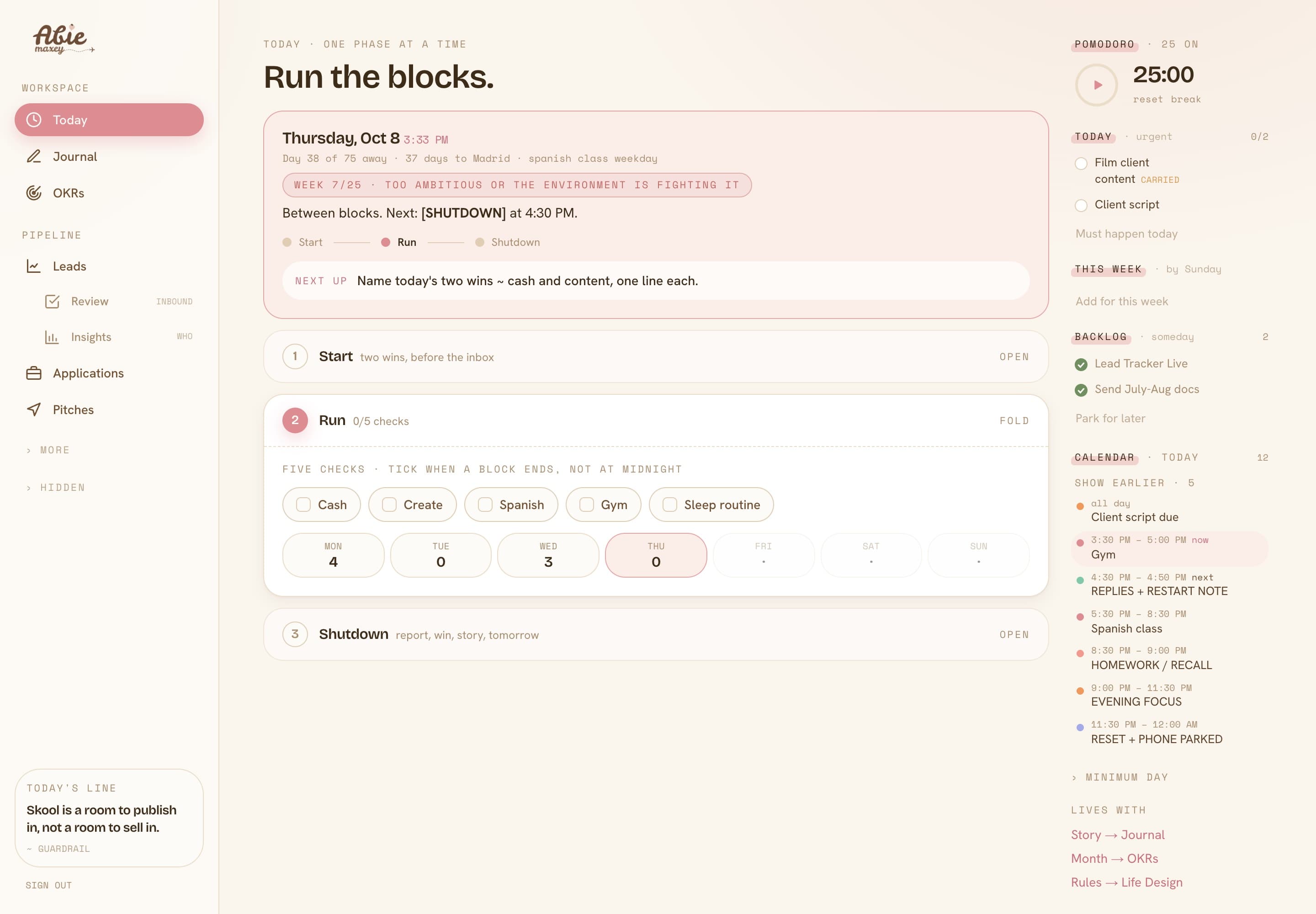
One screen for the day. My tasks, then today's calendar right under them, with the event that's running lit up and everything finished folded away. Leads in the pipeline carry their actual email history, so I never open Gmail just to remember where a conversation stopped.
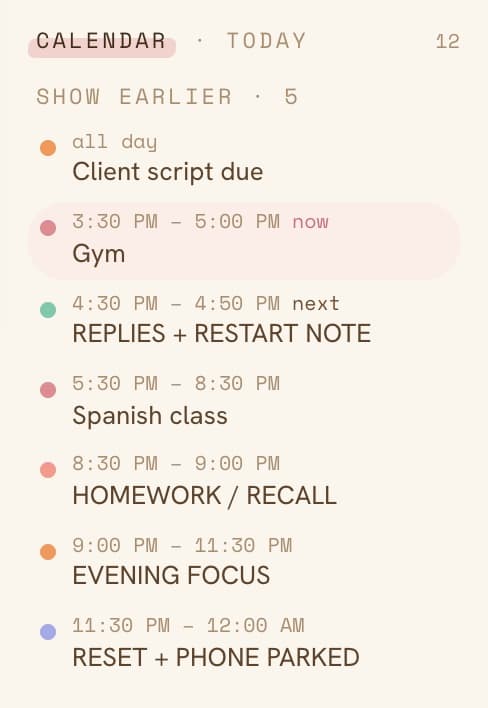
The calendar lives in the right rail, under the tasks. Each event is a time, a dot in the calendar's own colour, and the title. Earlier events fold into one line, so the rail only shows what's still ahead. It reads the same Google account the rest of the dashboard uses, with read-only access.
02 ~ The setup
The four pieces
Every Google connection is the same four things. Miss one and it fails in a way that looks like a different problem.
OAuth client
A client ID and secret from Google Cloud. It identifies your dashboard to Google.
Scopes
gmail.readonly and calendar.readonly. Read only ~ the dashboard never sends or edits.
Refresh token
What you get once you click Allow. The server trades it for a fresh access token whenever it needs one.
APIs enabled
Gmail API and Google Calendar API switched on in the same Cloud project. Easy to forget, and the reason my calendar failed.
03 ~ Consent once
Get a refresh token
I keep a tiny script in the repo that opens Google's consent screen, catches the redirect on 127.0.0.1, and prints the refresh token. The two parameters that matter are access_type=offline, which is what returns a refresh token at all, and prompt=consent, which makes Google ask again when you add a scope.
const SCOPE = [
  "https://www.googleapis.com/auth/gmail.readonly",
  "https://www.googleapis.com/auth/calendar.readonly",
].join(" ");

const authUrl = "https://accounts.google.com/o/oauth2/v2/auth?" +
  new URLSearchParams({
    client_id: CLIENT_ID,
    redirect_uri: "http://127.0.0.1:53682",
    response_type: "code",
    scope: SCOPE,
    access_type: "offline", // returns a refresh token
    prompt: "consent",      // re-asks when scopes change
  });
The first time I ran it, it stopped straight away:
The values were already in .env.local. Next.js loads that file for the app, but a plain Node script doesn't. Node can load it for you, no extra package needed:
Paste the token into .env.local. Done once, it lasts until you revoke it.
04 ~ The wall
Turn the API on
Gmail worked right away. The calendar still said access wasn't consented, which made no sense, because I had just clicked Allow on the calendar scope. So I asked Google directly what the token was allowed to do, and what the Calendar API thought about it:
The token was fine. The Calendar API itself was switched off in the Cloud project. Consenting to a scope and enabling the API are two different switches, and you need both. Open APIs & Services in the Cloud console, find Google Calendar API, press Enable, give it a minute. My calendar showed up on the next refresh.
If an API says “not consented” or 403 while the scope is clearly granted, check that the API is enabled before you redo any auth.
05 ~ The code
Read the day in code
The server swaps the refresh token for a short-lived access token, caches it until just before it expires, and asks for one day of events. Gmail and Calendar share the same token.
const token = await googleAccessToken(); // refresh -> access, cached

const q = new URLSearchParams({
  timeMin: `${day}T00:00:00${offset}`,  // e.g. +08:00 for Manila
  timeMax: `${day}T23:59:59${offset}`,
  singleEvents: "true",  // expands recurring events
  orderBy: "startTime",
});

const res = await fetch(
  `https://www.googleapis.com/calendar/v3/calendars/primary/events?${q}`,
  { headers: { Authorization: `Bearer ${token}` } },
);
if (res.status === 401 || res.status === 403) return { ok: false, reason: "scope" };
Two small things saved me time. singleEvents=true turns a repeating block like “gym, Mon to Thu” into real events for that day. And the time window needs your time zone's offset, or the day starts at midnight somewhere else.
06 ~ Going live
Ship it without leaking it
Before I put a Gmail token on a live site, I checked who else could open it. Anyone with the link could: every page and every data route answered without a login. So the dashboard got a password page first, with a signed cookie checked on every request. Do that before you connect anything personal.
Then the values go to Vercel, marked sensitive so nobody on the team can read them back:
The last line matters. Vercel only reads environment variables when it builds, so a new token does nothing until you redeploy. And if a global install of the Vercel CLI asks for admin rights, skip it ~ putting npx in front runs the latest version without installing.
07 ~ Copy this
The checklist
- Read-only scopes, consented with prompt=consent and access_type=offline
- Gmail API and Calendar API enabled in the same project as the OAuth client
- Client ID, secret and refresh token in .env.local, never in the repo
- The same values on Vercel, marked sensitive, then a redeploy
- A login in front of every page and API route before any of this goes live
- Borrowing a token from another app ~ it only works with that app's client, and breaks when you reconnect there
That last one I learned the honest way. My site's admin dashboard already had a calendar connection, and my first idea was to reuse its token. It wouldn't have worked: a refresh token belongs to the OAuth client that asked for it. One minute of consent beat an hour of being clever.

Love,
Abie