
01 ~ The point
What you get
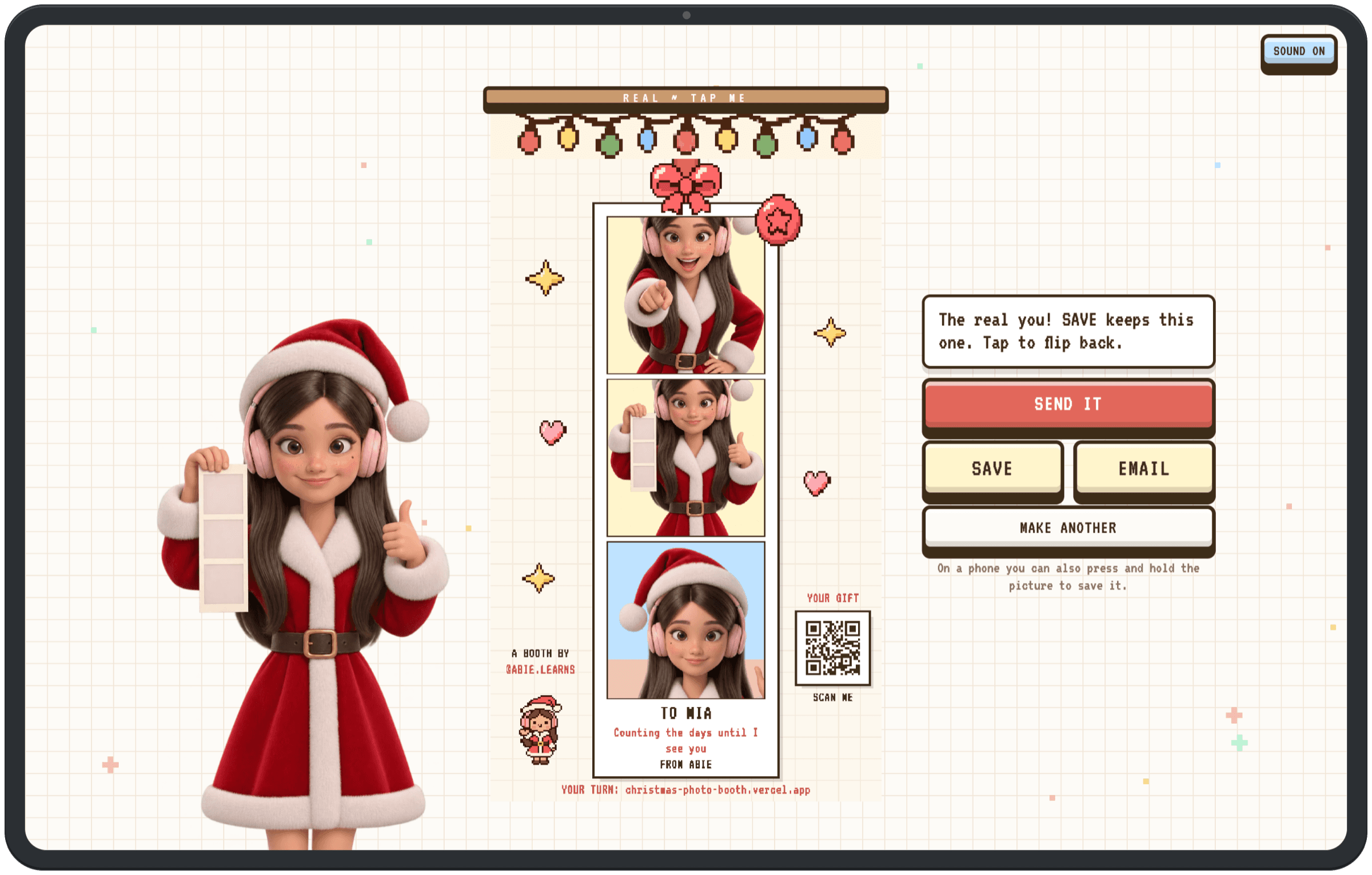
A photo booth you send to one person. They open it, see the two of you in 8-bit, read your note and scan their gift. Then the strip tells them it is their turn.
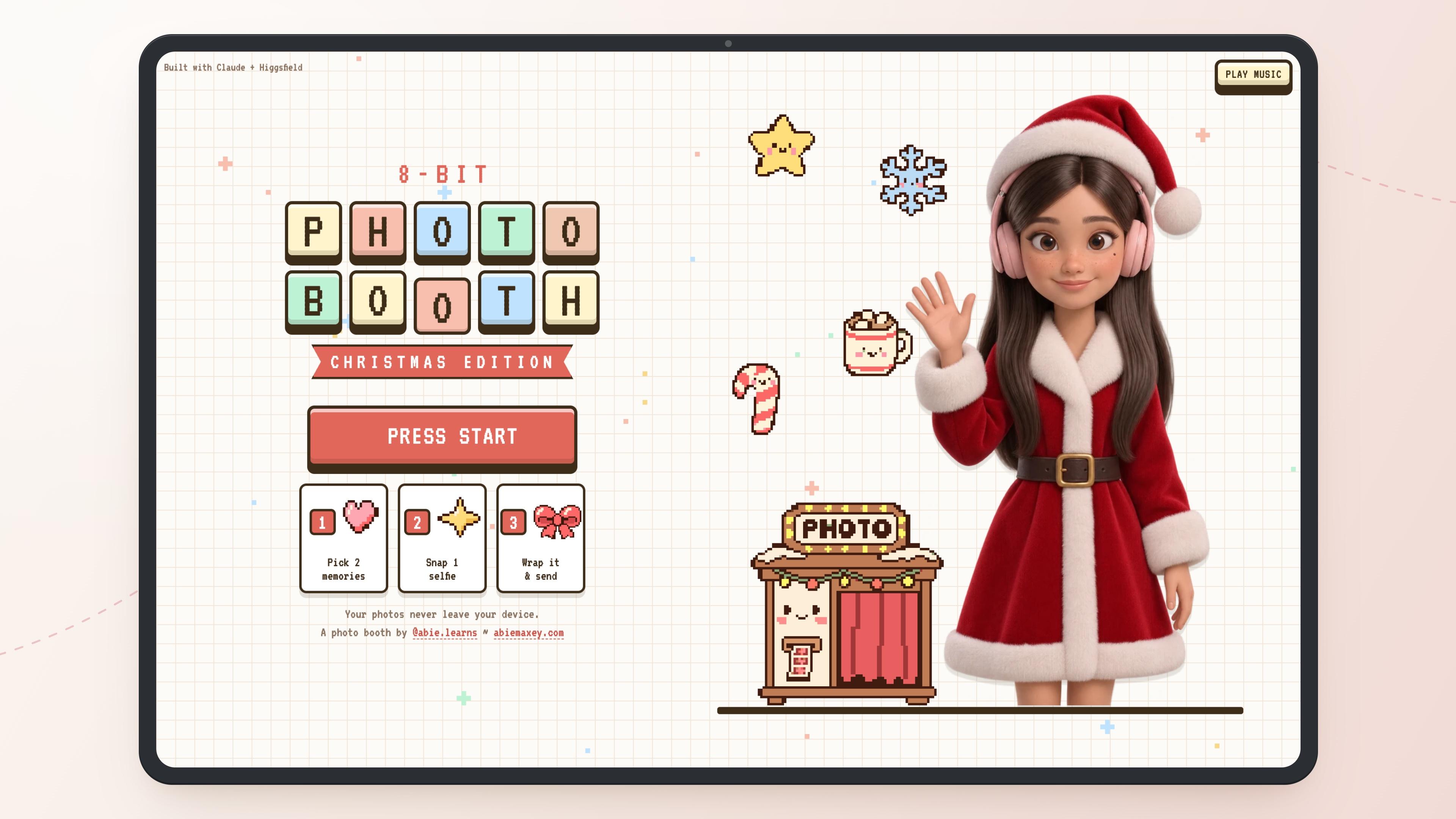
A title screen
Like a game. Your character waves, an 8-bit carol plays, three tiny how-to tiles, and a curtain opens to the booth.
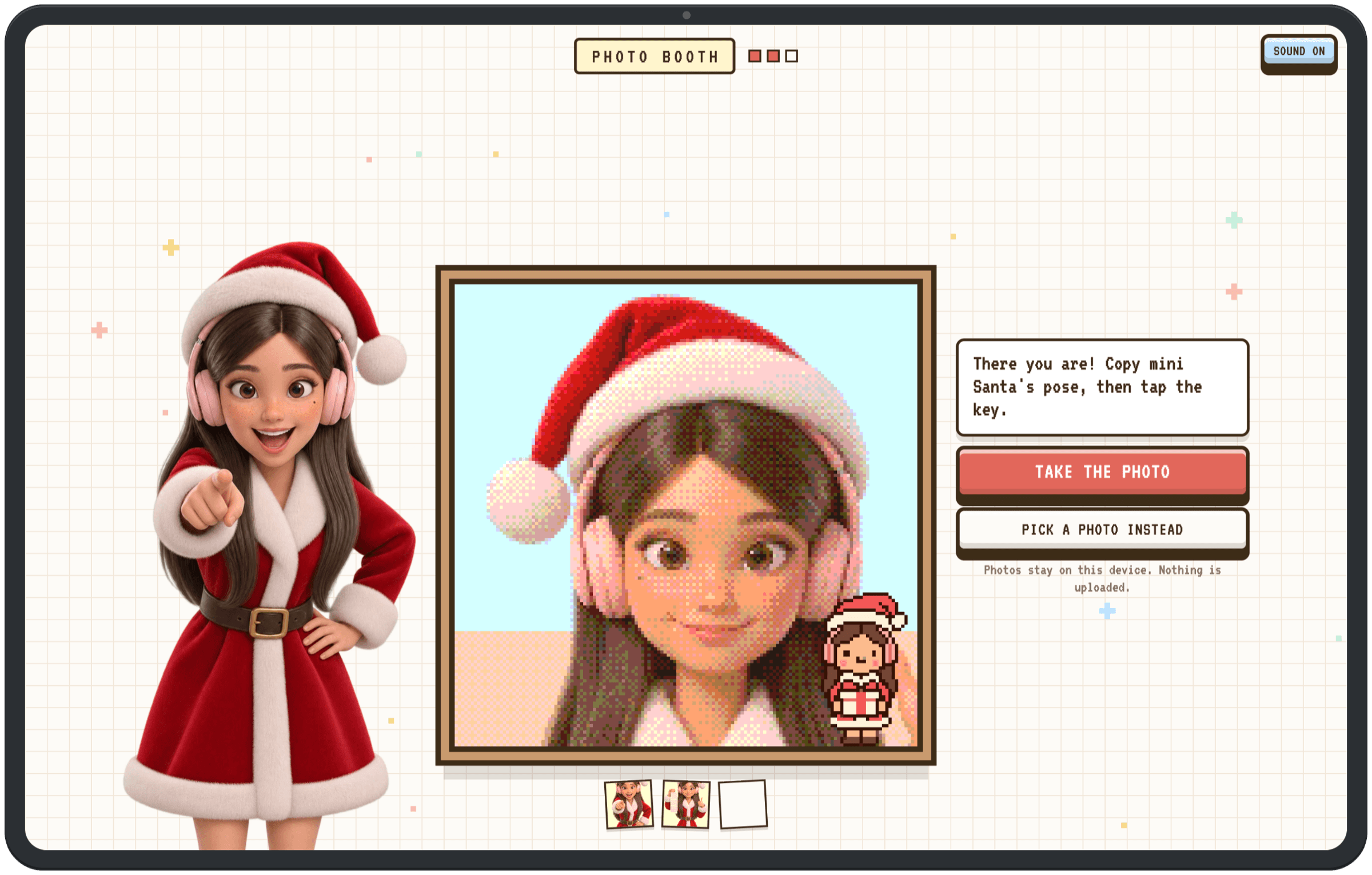
An 8-bit camera
Two memories and one photo taken now. Every frame turns 8-bit, and a mini pixel you shows the pose to copy.
A gift tag
Who it is for, who it is from, a short note and an optional gift link.
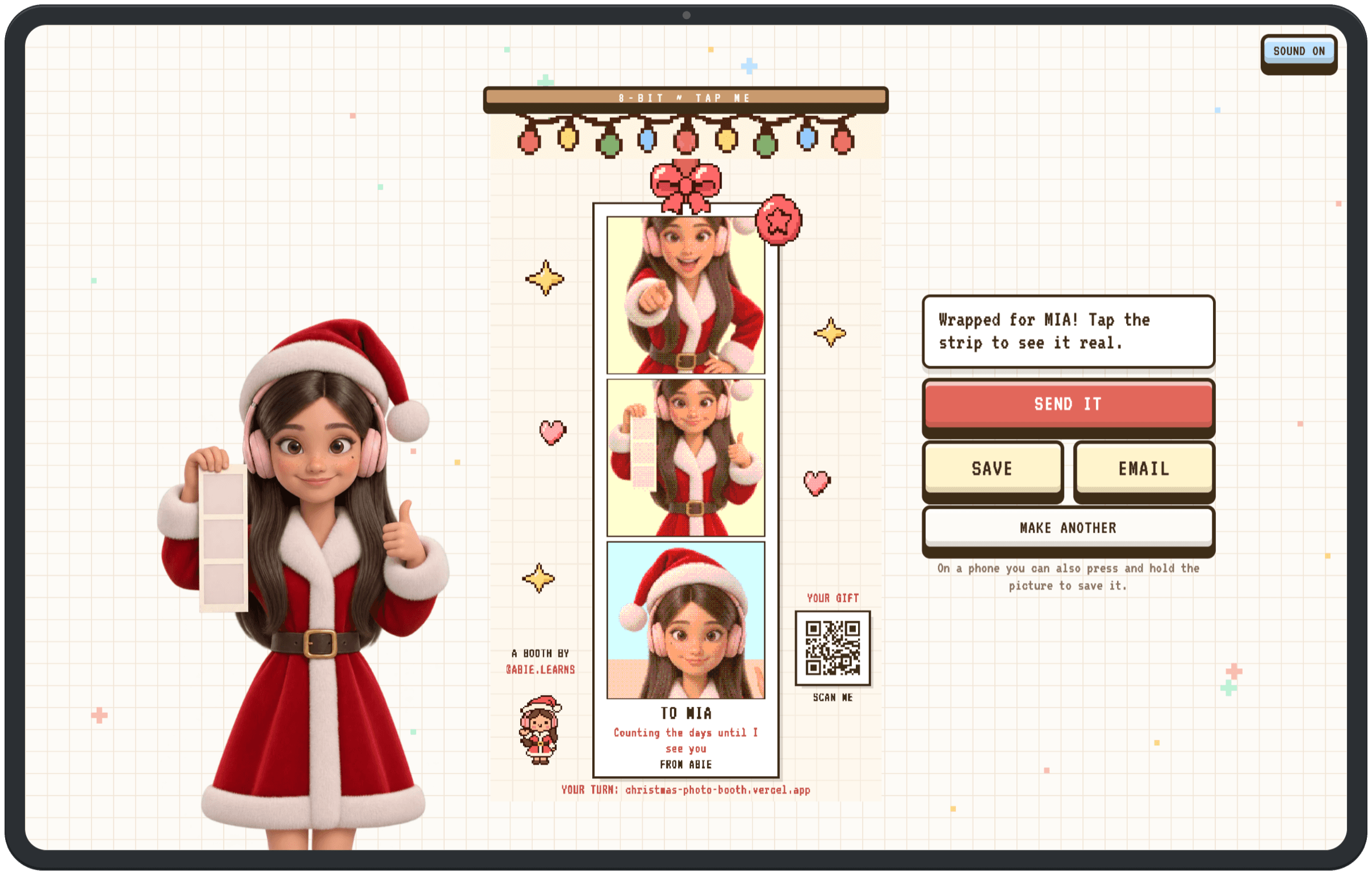
A wrapped strip
It prints frame by frame in time with the music, then gets a bow, a wax seal and a QR code for the gift.
8-bit to real
Tap the strip and the photos melt into the real ones. Save whichever you like.
02 ~ Before you start
What you need
Claude
With the Higgsfield connector switched on. I built mine with Fable 5.2.
Higgsfield
It makes every image in the booth. Mine took 8 images, 16 credits.
Your character
One clear image. Your avatar, a drawing of you, your pet. This becomes the host.
Time
My first version took about 22 minutes. Then I kept adding my notes, one round at a time.
No Higgsfield account yet? Start here.
Higgsfield · 70% off for Black FridayThen connect the two. It takes a minute:
- In Claude, open Settings, then Connectors.
- Add a custom connector and paste
https://mcp.higgsfield.ai/mcp - Authorise it with your Higgsfield account.
03 ~ Copy this
The prompt
Start a new chat and attach the image of your character. Then pick an occasion, or type your own words in any box. The prompt rewrites itself. The highlighted words are yours.
Build me a kawaii 8-bit photo booth website, Christmas edition.

MY CHARACTER
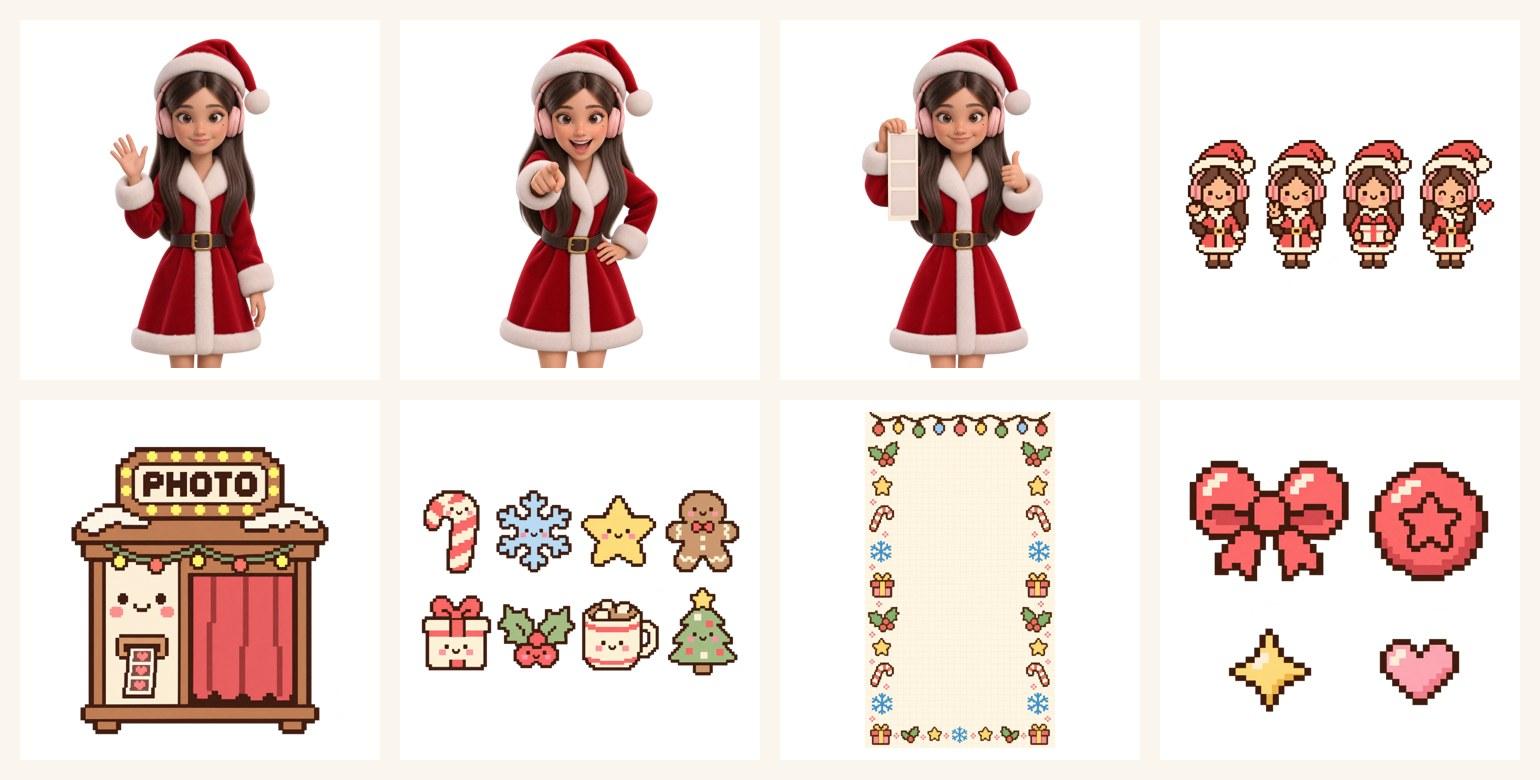
The attached image is my character. Keep my character exactly in the style of that image and make them the host of the booth: same face, hair and accessories, plus a Santa hat and a red coat with white trim. Also make a mini pixel art version of my character in the same outfit.

ART (make it with the Higgsfield MCP)
A. My character as the host, in the style of my image, on a transparent background:
   1. Waving hello (title screen)
   2. Counting down, pointing at the camera (in the booth)
   3. Holding up a photo strip, proud (the result)
B. Pixel art for everything else, on a transparent background: chunky clean pixels, thick dark brown outline, flat colors. Palette: cream, butter yellow, blush pink, latte brown, salmon red, sage green.
   4. Mini pixel me in 4 poses: waving, peace sign, holding a gift, blowing a kiss
   5. A cute photo booth with a curtain and a happy face
   6. One sticker sheet: candy cane, snowflake, star, gingerbread, gift, holly, cocoa mug, tree
   7. One photo strip frame, 9:16, with a string of lights across the top, a Christmas border and an empty middle
   8. A gift bow, a wax seal, a sparkle and a heart
Show me all the art before you build. Then snap the pixel art to a real pixel grid so it stays crisp.

THE SITE
1. A title screen like a game: cream grid paper, the logo "8-BIT PHOTO BOOTH" in pastel keycaps with a "CHRISTMAS EDITION" ribbon, my character waving, something small and on theme falling slowly, one PRESS START keycap, and three tiny how-to tiles under it: pick 2 memories, snap 1 selfie, wrap it and send. An 8-bit public domain Christmas tune starts on the first tap, with a mute button.
2. Press start and the curtain opens to the booth. An original 8-bit loop plays at 108 beats a minute.
3. Three frames: two memories (I pick photos of me and them) and one photo now with the camera. USE THE CAMERA turns the camera on in one tap. Every frame turns 8-bit. While the camera is on, mini pixel me stands in the corner showing a pose to copy, but never on the photo itself.
4. For the camera frame, my character counts down 3, 2, 1 on the beat, then flash.
5. A gift tag: who it is for, who it is from, a short note, and an optional gift link. If the note will not fit on two lines, tell me instead of cutting words.
6. The strip prints one frame per line of the music, 8 beats each: memory, memory, today. On the last line it gets wrapped: a white strip hanging on a ribbon under the string of lights, with the bow, the wax seal, the names and the note under the photos, the gift link as a QR code, and mini pixel me waving in the margin with "a booth by @yourhandle". Sized for Instagram Stories.
7. Tap the strip and the photos melt from 8-bit into the real ones, step by step, and back. SAVE and SEND keep whichever is showing.
8. SEND IT opens my phone's share sheet with the picture and the gift link. SAVE downloads it. EMAIL opens Gmail with the message filled in on a computer, and the share sheet on a phone. The strip says "your turn" with the site address, so they make one back.

RULES
- Phone first. It has to work inside the Instagram browser, and on foldables, open and closed.
- If the camera is blocked, say how to fix it (in an app's browser: open in Safari or Chrome) and let me pick photos instead.
- Photos never leave the device. Say so on the page.
- Warn me that anyone who sees the strip can open the gift link.
- Only original or public domain music. No famous songs inside the site.
- Buttons look like pastel keycaps. Font: VT323.
- Keep the season words in one place, so a new edition is new art plus one file.
- One page, no sign up, no backend.
Claude shows you the art before it builds anything. Look at it. If your character's face is off, say so now, not after the site exists.
04 ~ Your taste
Make it yours
The first prompt gets you a booth. These get you your booth. Send one at a time and look at the result before the next.
Make a [OCCASION] edition of my booth: new art for [OUTFIT] and [STICKERS], the same booth. Keep the season words in one file.
Make all three frames camera photos, no memories. Keep the countdown on the beat.Redo the mini pixel me with these poses: [POSE 1], [POSE 2], [POSE 3], [POSE 4].
Link [@YOURHANDLE] and [YOUR SITE] on the title screen, under PRESS START.
The pixel art looks soft. Snap every sprite to a real pixel grid and only scale it by whole numbers.Check every screen on a small phone (375 by 553) and an open foldable (951 by 669). Nothing may overlap or run off the screen.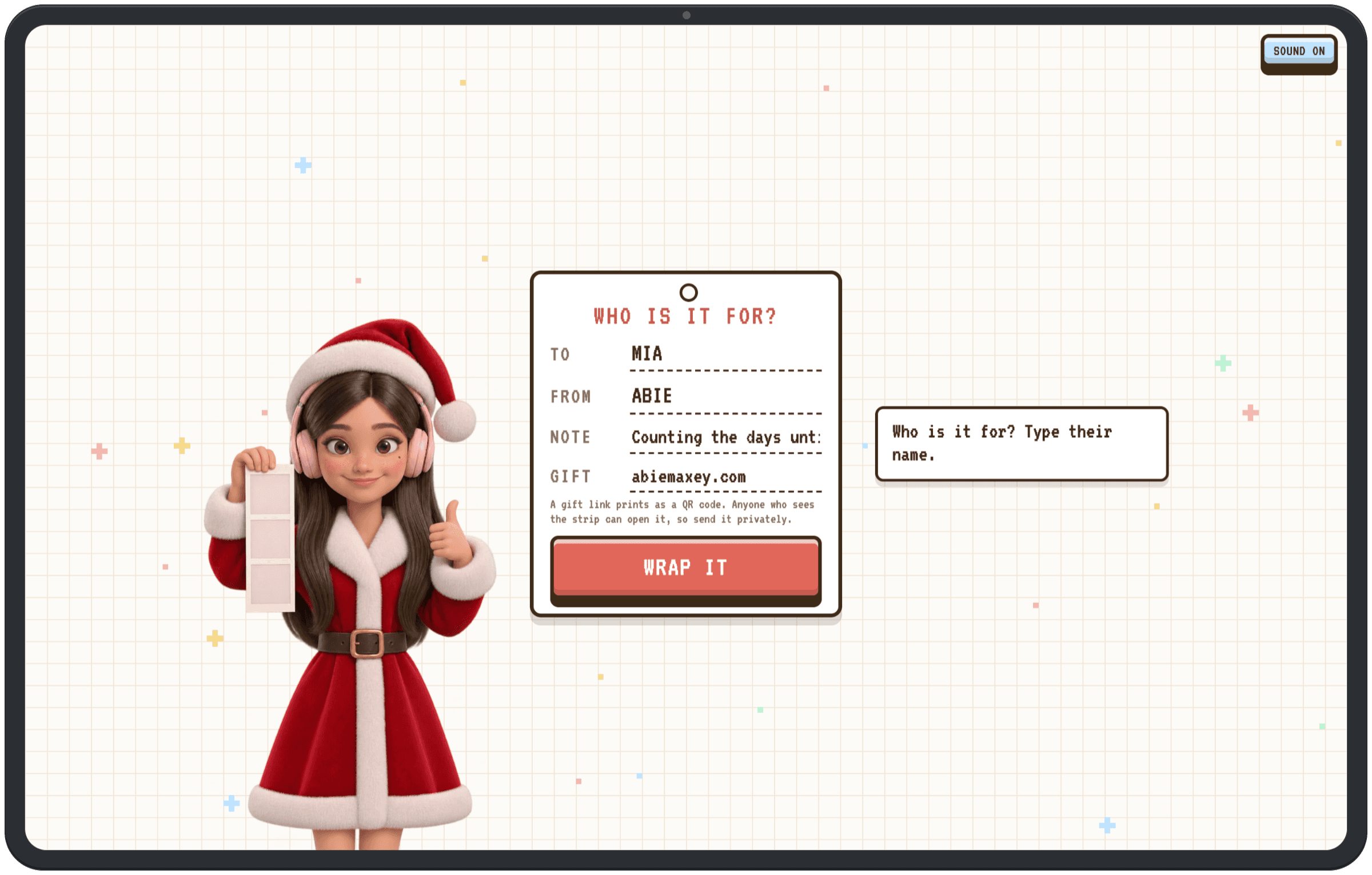
05 ~ The honest part
The first version
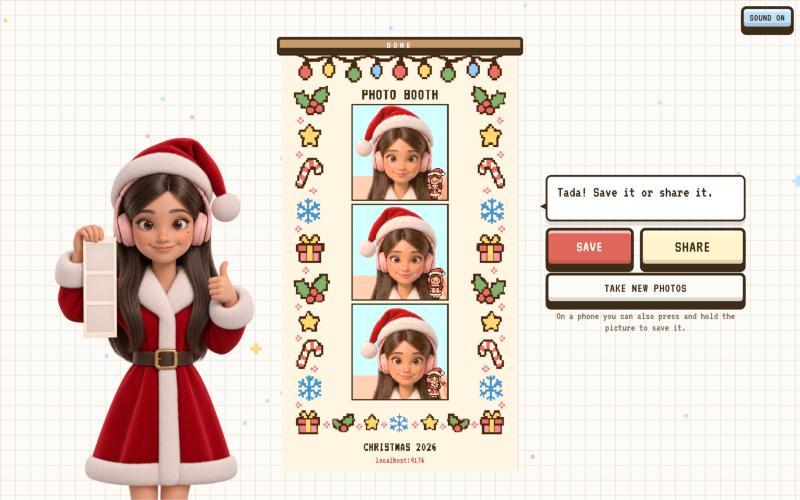
This was my first strip. It worked. It also looked like a template, with icons crowding the photos. The one above came two rounds of notes later.
The first version is never the best. This is where you come in. Add your taste. Add your style.
Soft pixel art
Image models draw pixel art as big squares that don't sit on a real grid, so it looks soft on screen. Snapping every sprite to a true grid fixed it.
A busy strip
Icons on every side fought with the photos. One note changed it: a white strip, a bow, a wax seal.
A key that looked broken
USE THE CAMERA only changed its own label, so the camera seemed dead. Now one tap turns it on.
Mini me on every photo
It was there to show the pose, but it covered the photo. Now it shows while you pose and stays off the picture.
The song
No famous song lives inside the site. The title plays an old carol that is free to use, the booth its own 8-bit loop.
06 ~ Last step
Put it live
A phone only opens the camera on a secure address, one that starts with https. So the booth has to be online before you try it on your phone.
Put this live and give me the link. Then tell me what to test on my phone.The photos stay on the device. Nothing is uploaded, there is no sign up and no backend. Say that on your page, like mine does.
07 ~ Copy this
The checklist
- Connect Higgsfield to Claude before you paste anything
- Attach one clear image of your character with the prompt
- Look at the art before Claude builds, and ask for redos then
- Snap the pixel art to a real grid so it stays crisp
- Send your notes one at a time. The first version is where you start
- Put it live on https, then try the camera on your own phone
- Mini you stamped on every photo ~ keep it a pose guide
- A real gift card link on a strip you post ~ anyone who sees it can scan it
- A famous song inside the site ~ add the music in Instagram instead
Every image in my booth was made with Higgsfield.
Higgsfield · 70% off for Black Friday
Love,
Abie